
External GPU (eGPU) Enclosures Explained: Is a Thunderbolt 5 eGPU Worth It in 2026?
External GPU (eGPU) Enclosures Explained: Is a Thunderbolt 5 eGPU Worth It in 2026?
The idea is appealing: keep a slim, portable laptop for everyday use, then plug it into a box on your desk that gives it genuine gaming-desktop graphics power when you need it. Thunderbolt 5's arrival has renewed interest in external GPU (eGPU) enclosures, with roughly double the bandwidth of Thunderbolt 4 on paper — but bandwidth on a spec sheet and real gaming performance are two different things. This guide explains how eGPUs actually work, what Thunderbolt 5 changes, where OCuLink fits in as an alternative, and — most importantly — who an eGPU genuinely suits versus who should just buy a desktop. It's a natural follow-up to KitUP's Thunderbolt 5 explained guide.
How an eGPU Enclosure Works
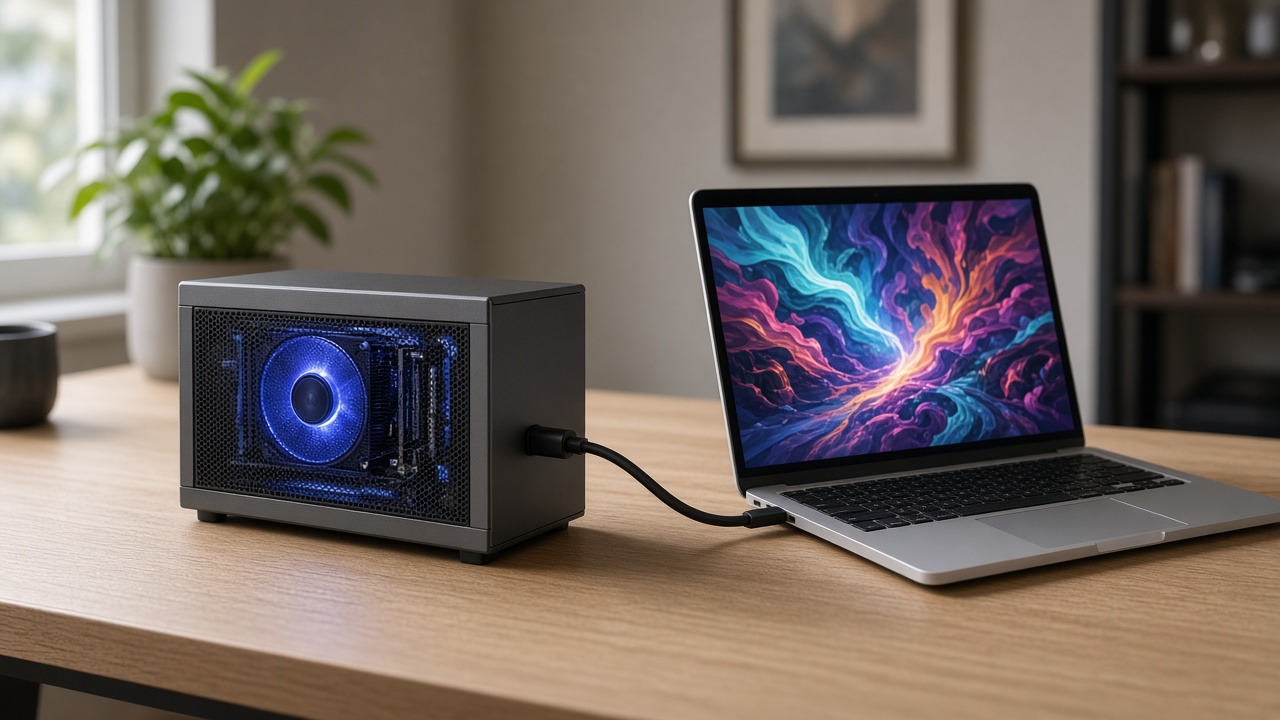
An eGPU enclosure is essentially a box that houses a standard desktop graphics card, its own power supply, and a controller that connects the card's PCI Express lanes to a laptop over a single external cable — usually Thunderbolt, sometimes OCuLink. The laptop's own (often integrated or lower-power) GPU is bypassed for supported workloads, with the discrete desktop card doing the heavy lifting instead, and typically driving an external monitor directly for the best results.
The catch is that a single external cable, however fast, is never going to match the bandwidth of a graphics card slotted directly into a desktop motherboard's PCIe x16 slot. That gap is the central thing to understand before buying one.
What Thunderbolt 5 Actually Changes
Thunderbolt 5 offers up to 80Gbps of bandwidth (rising higher in bandwidth-boost modes for specific tasks), roughly double Thunderbolt 4's headline rate. That's a genuine, welcome improvement — but the number that matters more for eGPU performance is how much of that bandwidth is actually usable as tunnelled PCI Express lanes for the graphics card, not the headline transfer rate. Thunderbolt 5 enclosures generally tunnel PCIe 4.0 lanes to the GPU, versus PCIe 3.0 on Thunderbolt 4 — a meaningful step up in available GPU bandwidth, but still well short of a desktop's direct PCIe x16 connection.
In practice, this means an eGPU — even over Thunderbolt 5 — will not deliver identical performance to the same graphics card installed in a desktop. How close it gets depends on several factors working together: the enclosure's controller design and driver maturity, the specific GPU and game, display routing (running the external monitor from the eGPU itself, rather than through the laptop screen, generally performs better), thermals, and how much other traffic is sharing the connection. Independent, game-by-game benchmark data is the only reliable way to judge a specific setup — treat any single headline performance-loss percentage with caution, since it varies significantly by title and configuration.
OCuLink: The Alternative Connection
A smaller category of enclosures and mini PCs use OCuLink instead of (or alongside) Thunderbolt, offering a direct PCIe 4.0 x4 connection that can outperform Thunderbolt's tunnelled approach in some setups. The trade-off is flexibility: OCuLink generally can't be hot-plugged the way Thunderbolt can, some implementations need careful power sequencing, and OCuLink support on laptops is far less common than Thunderbolt/USB4 ports. It's worth considering specifically for desktop-replacement mini PCs and a smaller set of gaming laptops that support it, rather than as a general-purpose laptop eGPU solution.
Enclosure Power Delivery: What to Check
eGPU enclosures vary meaningfully in how they handle power, and it affects which graphics cards they can actually run:
- Enclosures with a built-in fixed power supply (often 650-850W) are simpler to set up but fix the maximum power budget available to the GPU.
- Enclosures that accept a user-selected standard ATX power supply offer more flexibility to match the PSU to a specific card's power draw, at the cost of a slightly more involved build.
- Power delivery back to the laptop over the same cable is a genuinely useful feature worth checking for — many Thunderbolt 5 eGPU enclosures can also charge a connected laptop (often up to 140W) through the same single cable, reducing desk clutter.
As a rule of thumb, budget for enclosure power headroom well above a graphics card's stated power draw — manufacturers generally recommend allowing a meaningful buffer above the GPU's own requirement to account for transient power spikes, similar to the wattage-headroom principle covered in KitUP's PSU buying guide.
Laptop Compatibility: The Detail Most Buyers Miss
Not every USB4 or Thunderbolt port supports eGPU use — a "USB4" or "Thunderbolt" label alone doesn't guarantee it. Specific requirements vary meaningfully by enclosure and laptop combination: some enclosures require a recent Windows 11 update, others require a specific generation of Intel or AMD processor as a minimum. Before buying, confirm the specific laptop model's documented eGPU support — from the laptop manufacturer or the enclosure manufacturer's compatibility list — rather than assuming any Thunderbolt or USB4 port will work identically.
Who an eGPU Actually Suits
- Good fit: someone who already owns (or needs) a genuinely portable, slim laptop for travel and daily use, but wants meaningfully more graphics performance at a desk — for gaming, creative GPU-accelerated work, or both — without buying and maintaining a second full desktop.
- Poor fit: anyone who needs the laptop to stay portable with full GPU performance (an eGPU is a desk-bound accessory, not a travel solution), anyone whose laptop lacks documented eGPU support, and anyone who would be better served by a conventional desktop — particularly if multiple expansion cards, maximum absolute performance per pound, or easy long-term serviceability matter more than portability. For that buyer, a desktop or gaming laptop (see KitUP's gaming laptop vs desktop guide) remains the more straightforward and typically more cost-effective route to the same performance.
Frequently Asked Questions
Does an eGPU perform as well as the same GPU in a desktop? No — expect some performance loss versus a desktop installation, with the exact amount depending on the enclosure, GPU, game and display setup. Thunderbolt 5's extra bandwidth narrows the gap versus Thunderbolt 4 but doesn't eliminate it.
Can any laptop with a USB4 or Thunderbolt port use an eGPU? Not necessarily. eGPU support depends on the specific laptop model, its chipset generation and firmware, and the enclosure's own compatibility requirements — always check documented compatibility before buying rather than assuming.
Is OCuLink better than Thunderbolt for an eGPU? It can offer stronger direct PCIe bandwidth in supported setups, but with less flexibility (typically no hot-plugging) and far more limited laptop support than Thunderbolt/USB4. It suits a narrower set of use cases, particularly mini PCs.
How much power supply do I need for an eGPU enclosure? Check the specific enclosure's supported PSU wattage and the target GPU's power draw, then allow meaningful headroom above the GPU's stated requirement — enclosure manufacturers typically publish a recommended buffer.
Should I buy an eGPU or just build a desktop? If portability with a single device genuinely matters, an eGPU is the only route to significant extra graphics power at a desk. If portability isn't a priority, a desktop generally delivers more performance per pound with fewer compatibility considerations.
Final Thoughts
Thunderbolt 5 has made eGPUs a meaningfully more capable option than the Thunderbolt 3/4 generation, thanks to genuinely higher tunnelled PCIe bandwidth to the graphics card — but it hasn't turned an eGPU into a drop-in replacement for a desktop PCIe x16 slot, and compatibility still needs checking laptop-by-laptop rather than assumed from a USB4 or Thunderbolt logo alone. For the specific buyer who needs one portable machine and extra graphics power at a desk, it's a genuinely useful category; for most other use cases, a conventional desktop or gaming laptop remains the simpler, typically better-value path to the same performance.
Browse KitUP's external GPU enclosure range, and see our Thunderbolt 5 explained guide for more on the connector standard behind it.