
Power Supply (PSU) Buying Guide 2026: Wattage, Efficiency and Cables Explained
Power Supply (PSU) Buying Guide 2026: Wattage, Efficiency and Cables Explained
The power supply is the least glamorous component in any build, and also one of the easiest to get wrong in ways that only show up later — an underpowered unit that can't handle a GPU's power spikes, an inefficient one quietly adding to electricity bills, or a non-modular one making cable management a headache in a small case. This guide covers what actually matters when choosing a PSU in 2026: how to work out the wattage you need, what the 80 Plus efficiency tiers mean in practice, the new ATX 3.1 standard and its 12V-2x6 connector, and when modular cables are worth paying extra for. It pairs naturally with KitUP's guides to PC case and cooling and future-proofing a gaming PC build.
Working Out the Wattage You Actually Need
The most common PSU mistake isn't buying underpowered — it's overbuying "just in case" and paying for capacity that's never used, or the opposite: sizing tightly to a GPU's baseline rating and getting caught out by momentary power spikes under load. A practical approach:
- Add up your components' rated power draw — the CPU and GPU dominate this figure, with everything else (motherboard, drives, fans, RAM) usually adding a relatively modest amount on top.
- Add roughly 20-30% headroom above that total. This covers transient power spikes (very brief demand spikes well above a component's sustained rating, particularly common on high-end GPUs), leaves room for future upgrades, and — usefully — keeps the PSU running in its most efficient load range rather than constantly near maximum capacity.
- Check the GPU manufacturer's recommended PSU wattage specifically, since high-end graphics cards often state a minimum system wattage that already accounts for their particular power spike behaviour — treat it as a floor, not a target to sit exactly at.
For context: a budget or mid-range build without a high-end discrete GPU is typically comfortable in the 450-650W range, a mainstream gaming build with a mid-range GPU generally sits in the 650-750W range, and a high-end build with a flagship GPU can require 850W or more — always confirm against the specific GPU's stated requirement rather than relying on rough bands alone, since power draw varies significantly by model.
80 Plus Efficiency Tiers Explained
The 80 Plus certification measures how efficiently a PSU converts the electricity it draws from the wall into the DC power your components actually use — the rest is lost as heat. The tiers, from lowest to highest, are White, Bronze, Silver, Gold, Platinum and Titanium, with each tier certifying progressively higher efficiency, particularly at typical (around 50%) load.
Why it matters beyond the electricity bill: a more efficient PSU generates less waste heat, which generally means quieter fan operation and less thermal stress on the unit over its lifetime. Gold has become the sensible mainstream sweet spot for most builds in 2026 — meaningfully more efficient than Bronze for a moderate price difference, without paying the steeper premium that Platinum and Titanium command for efficiency gains that mostly matter at data-centre scale rather than in a home PC. Titanium is generally only worth its price premium for very high-wattage, always-on systems where the efficiency difference compounds meaningfully over time.
ATX 3.1 and the 12V-2x6 Connector
The ATX power supply standard has moved through several revisions to keep up with modern GPUs' power spike behaviour, and the current generation, ATX 3.1, brings two changes worth understanding before buying:
- Native support for GPU transient power spikes, meaning an ATX 3.1-certified PSU is specifically tested to handle the very brief power draw spikes that high-end graphics cards can produce, rather than requiring oversized wattage headroom to compensate.
- The 12V-2x6 connector, the refined successor to the earlier 12VHPWR connector, designed to deliver up to 600W through a single cable to high-end GPUs, with revised pin design intended to reduce the connection reliability issues reported with earlier 12VHPWR implementations.
The practical guidance: if a build includes a high-end GPU with a 12V-2x6 (or the earlier 12VHPWR) power connector, an ATX 3.1-certified PSU with a native 12V-2x6 cable is the safer, tidier choice over relying on adapter cables from older 8-pin connectors, which add an extra failure point and can be more prone to connection issues at high sustained power draw. For builds using a mid-range or budget GPU without this connector, ATX 3.1 certification is a nice-to-have rather than essential.
Modular vs Semi-Modular vs Non-Modular
- Non-modular PSUs have all cables permanently attached, whether a build needs them or not. They're the cheapest option, at the cost of extra unused cables to route or tuck away, which matters more in small or window-panelled cases than larger ones.
- Semi-modular PSUs have essential cables (motherboard, CPU power) permanently attached and other cables (additional PCIe, SATA) detachable, striking a reasonable middle ground for most mainstream builds.
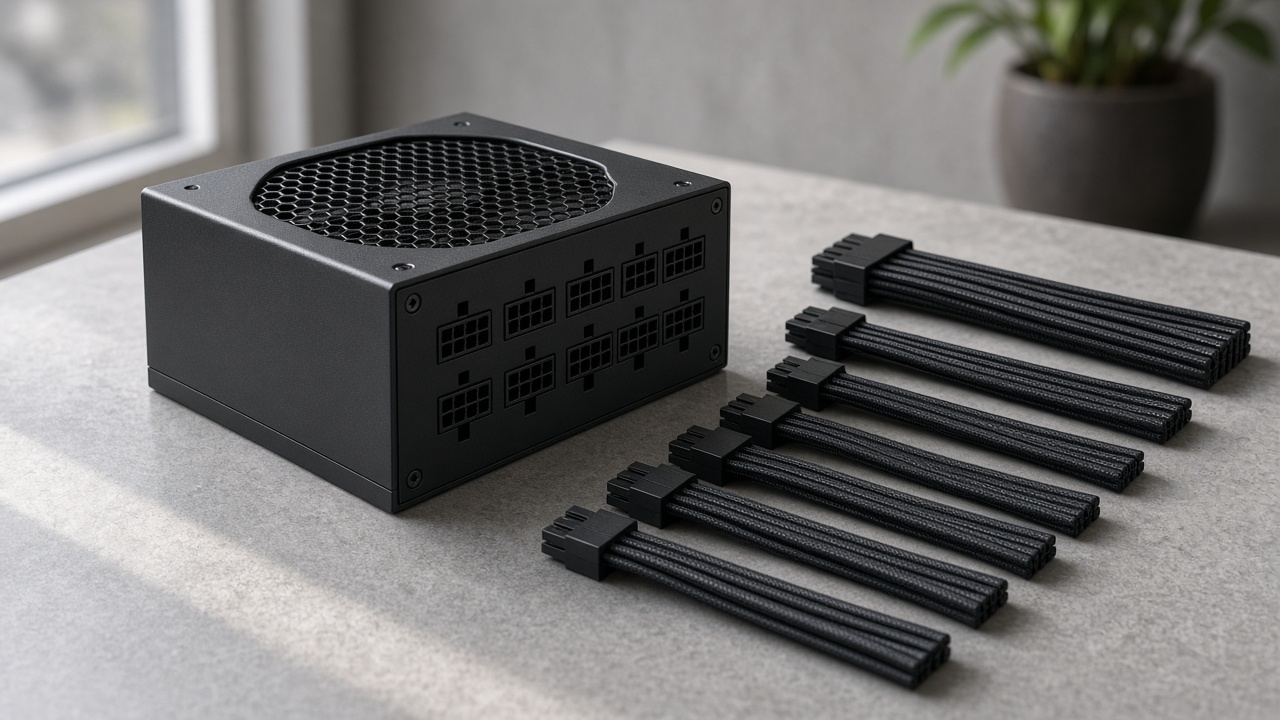
- Fully modular PSUs let every cable be attached only as needed, minimising clutter and making cable management noticeably easier — particularly valuable in compact or small-form-factor cases, or any build with a glass side panel where cable tidiness is visible. The trade-off is a moderate price premium over an equivalent non-modular unit.
The practical guidance: non-modular is a reasonable way to save money in a budget build with a case that hides cables well; semi-modular covers most mainstream gaming builds sensibly; fully modular earns its premium in small-form-factor builds (see KitUP's mini PC and small form factor guide) or any build where cable tidiness matters for airflow or appearance.
Don't Skip PSU Quality for a Bigger Number
A higher wattage rating on a poorly built PSU is not a safer choice than a correctly sized PSU from a reputable brand with solid protection circuitry (over-voltage, over-current, short-circuit and over-temperature protection). Since the PSU delivers power to every other component in the build, it's one of the worst places to cut corners purely to save money — a failure here can, in the worst cases, damage other components. Established brands with a strong warranty (many quality units now carry 7-10 year warranties) and independent reviews with load-testing data are worth prioritising over wattage or price alone.
Signs an Existing PSU May Need Replacing
- Unexpected shutdowns or restarts under load, particularly during GPU-intensive gaming or rendering — often (though not always) a sign the PSU is being pushed beyond its comfortable capacity.
- A build that's had a GPU or CPU upgraded since the PSU was bought, without the PSU's wattage being reassessed against the new components' combined draw.
- Audible coil whine or unusual fan noise that's new or worsening, which can (though doesn't always) indicate a PSU nearing the end of its reliable life.
- A PSU older than 7-8 years in a system that's had meaningful component upgrades since — efficiency and protection circuitry both degrade gradually with age and heat cycling.
Frequently Asked Questions
What wattage PSU do I need for a gaming PC? It depends entirely on the GPU — check the manufacturer's recommended system wattage and add headroom on top, rather than relying on a single number for all builds. Most mainstream gaming builds fall in the 650-750W range.
Is 80 Plus Gold worth paying extra for over Bronze? For most builds, yes — Gold is the current mainstream sweet spot, offering a meaningful efficiency step up for a moderate price premium, without paying Platinum or Titanium pricing for gains that matter more at larger scale.
Do I need an ATX 3.1 PSU? It matters most if the build includes a high-end GPU using a 12V-2x6 or 12VHPWR connector, where native ATX 3.1 support and cabling is the safer choice over adapters. It's a nice-to-have rather than essential for budget or mid-range GPU builds.
Is fully modular worth the extra cost? It's most worthwhile in small-form-factor builds or cases with a visible glass panel, where cable clutter has a real impact on airflow or appearance. For a budget build in a case that hides cables well, non-modular is a reasonable way to save money.
How do I know if my PSU is failing? Unexpected shutdowns under load, new or worsening coil whine, or an ageing PSU in a system that's had significant component upgrades since purchase are all reasonable triggers to reassess.
Final Thoughts
A power supply rarely gets chosen with the same care as a CPU or GPU, but it's the one component every other part of the build depends on. Sizing wattage correctly with sensible headroom, choosing at least 80 Plus Gold efficiency, checking ATX 3.1/12V-2x6 support against your GPU's connector, and buying from a reputable brand will quietly keep a build reliable for years — while the opposite mistakes are the kind that only become obvious at the worst possible moment.
Browse KitUP's power supply range, and see our PC case and cooling guide for how PSU choice fits into a build's overall airflow and cable management.